
Instructions for logging in to the members' area
Clubdesk
You will find all the information about logging in at:
Instructions for logging in to the members' area
Clubdesk
You will find all the information about logging in at:
Instructions for logging in to the members' area
Clubdesk
You will find all the information about logging in at:
1. Logging in:
VERY IMPORTANT:
Use your FLPA login here (e.g. felix.muster@flpa.lu).
If you don't have a login yet, request your first access by clicking “Request access”
VERY IMPORTANT:
Use your FLPA login here (e.g. felix.muster@flpa.lu).
If you don't have a login yet, request your first access by clicking “Request access”
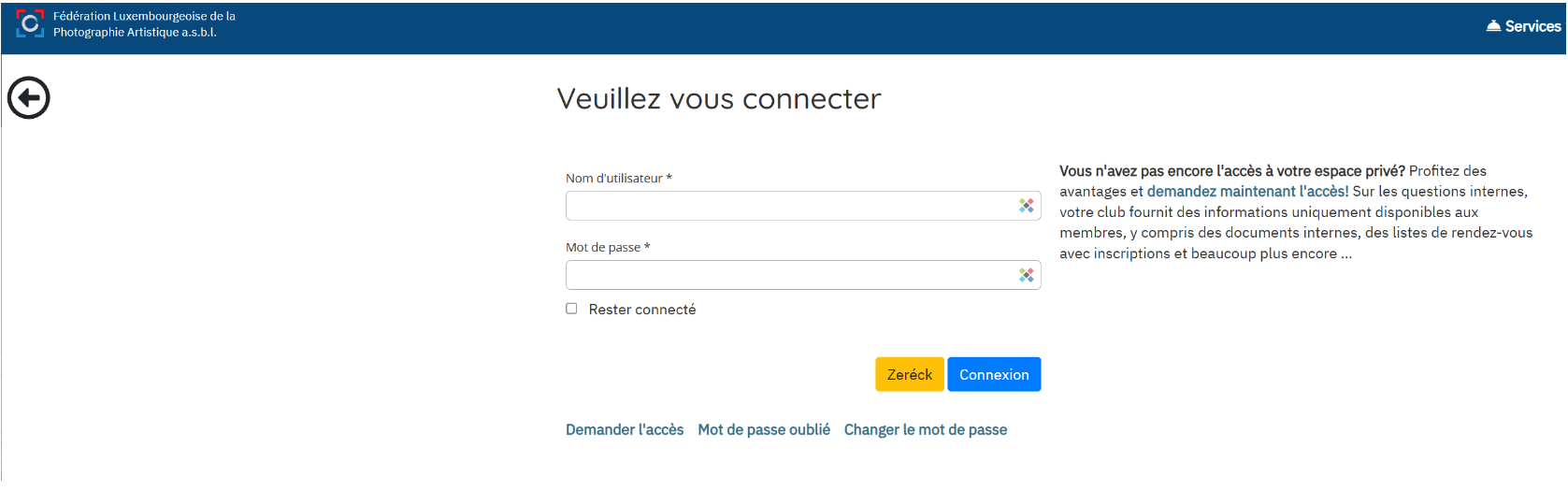
1. Logging in:
VERY IMPORTANT:
Use your FLPA login here (e.g. felix.muster@flpa.lu).
If you don't have a login yet, request your first access by clicking “Request access”
VERY IMPORTANT:
Use your FLPA login here (e.g. felix.muster@flpa.lu).
If you don't have a login yet, request your first access by clicking “Request access”
1. Logging in:
VERY IMPORTANT:
Use your FLPA login here (e.g. felix.muster@flpa.lu).
If you don't have a login yet, request your first access by clicking “Request access”
VERY IMPORTANT:
Use your FLPA login here (e.g. felix.muster@flpa.lu).
If you don't have a login yet, request your first access by clicking “Request access”
2. Request first access:
Don't have access to your private area yet? Enjoy all the benefits and request access now! On internal matters, your club provides information available only to members, including internal documents, lists of dates with registration and much more...
VERY IMPORTANT:
Enter the personal email address you gave in your membership application (e.g. felix.muster@gmail.com)
Don't have access to your private area yet? Enjoy all the benefits and request access now! On internal matters, your club provides information available only to members, including internal documents, lists of dates with registration and much more...
VERY IMPORTANT:
Enter the personal email address you gave in your membership application (e.g. felix.muster@gmail.com)
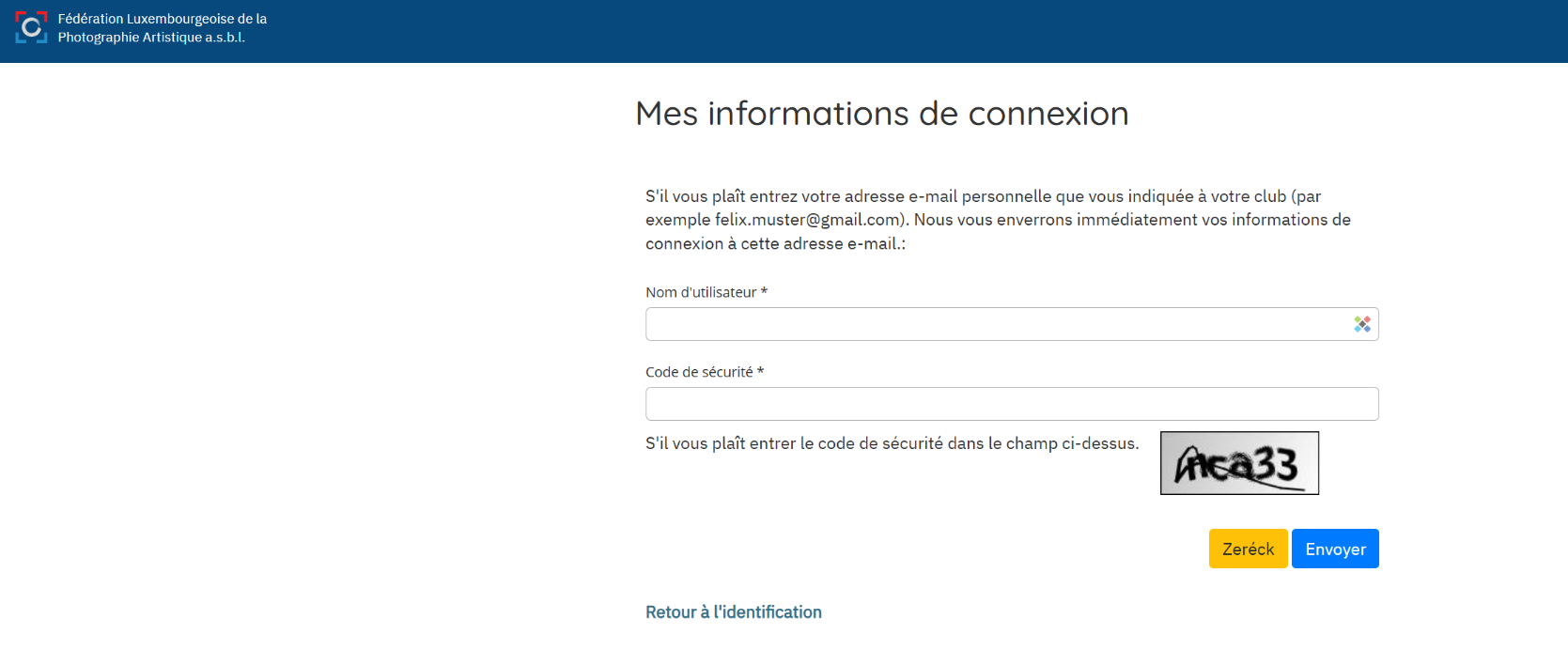
2. Request first access:
Don't have access to your private area yet? Enjoy all the benefits and request access now! On internal matters, your club provides information available only to members, including internal documents, lists of dates with registration and much more...
VERY IMPORTANT:
Enter the personal email address you gave in your membership application (e.g. felix.muster@gmail.com)
Don't have access to your private area yet? Enjoy all the benefits and request access now! On internal matters, your club provides information available only to members, including internal documents, lists of dates with registration and much more...
VERY IMPORTANT:
Enter the personal email address you gave in your membership application (e.g. felix.muster@gmail.com)
3. Forgotten password:
You've forgotten your password.
Click “Forgot password”.
You've forgotten your password.
Click “Forgot password”.
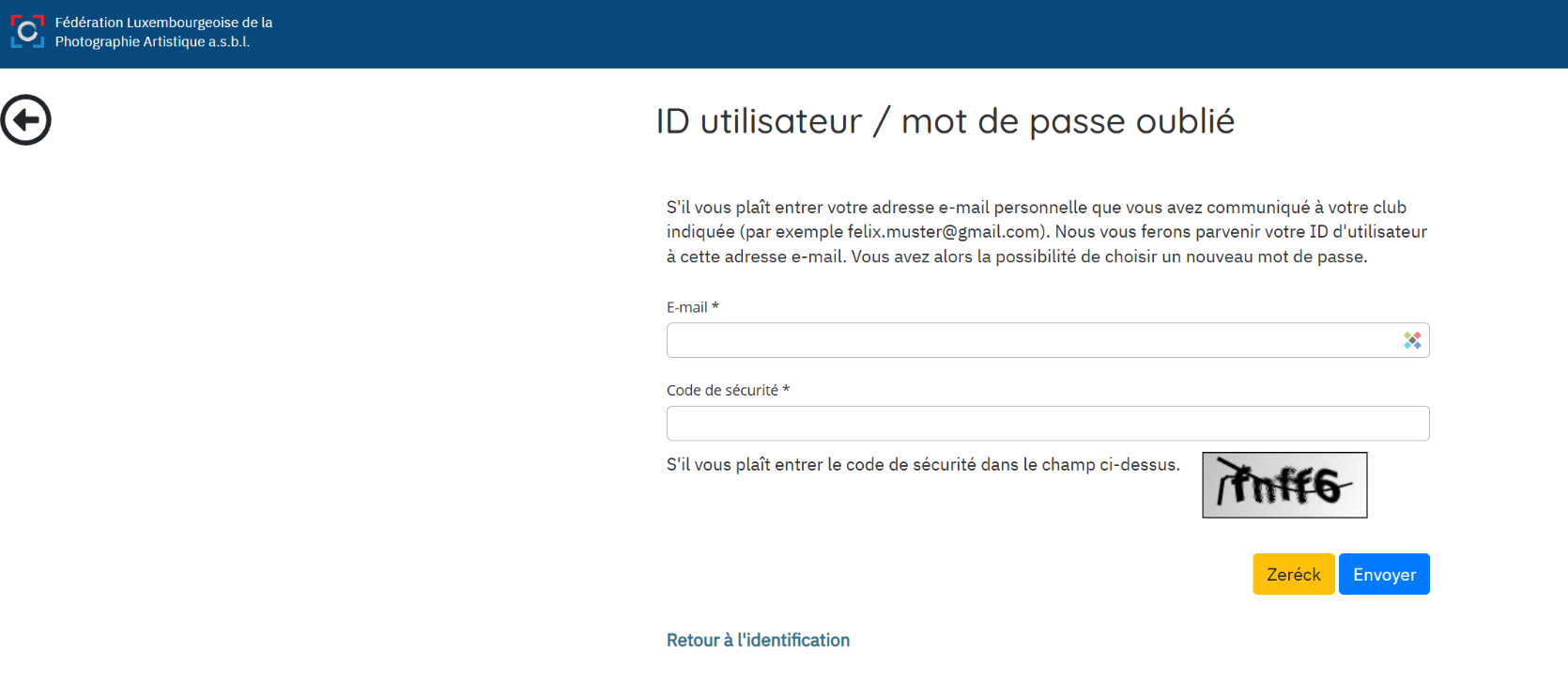
3. Forgotten password:
You've forgotten your password.
Click “Forgot password”.
You've forgotten your password.
Click “Forgot password”.
3. Forgotten password:
You've forgotten your password.
Click “Forgot password”.
You've forgotten your password.
Click “Forgot password”.
3. Forgotten password:
You've forgotten your password.
Click “Forgot password”.
You've forgotten your password.
Click “Forgot password”.
4. Change password:
You want to change your password.
Click “Change password”.
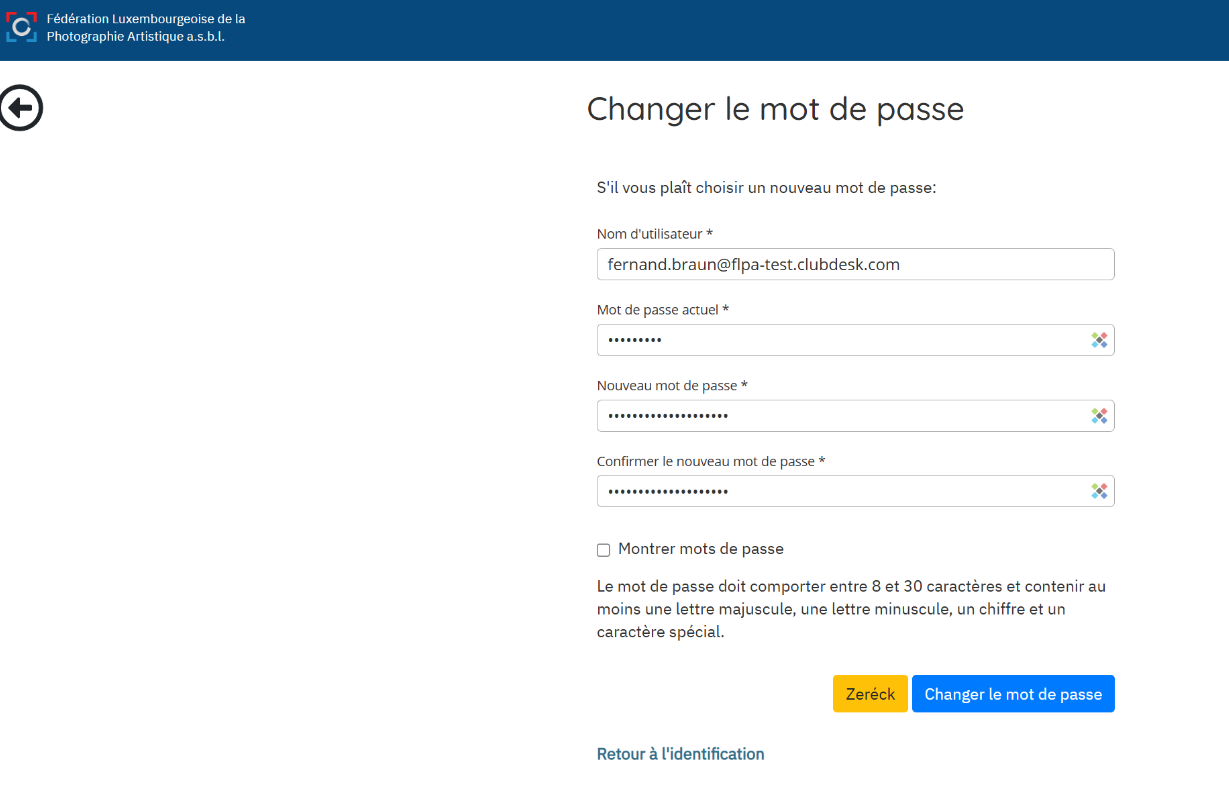
4. Change password:
You want to change your password.
Click “Change password”.
4. Change password:
You want to change your password.
Click “Change password”.